
This is one of the doubts of every new creator who likes to bring their ideas to a video. So if you are trying to use text-to-video tools but have some doubts, here are all the answers for you.
Due to the advancement of technology, creating videos has become simple. What was once a time-consuming process of planning, filming, and editing can now be completed by writing one sentence and having your final visual story.
AI text-to-video tools use your story, prompt, or script to create scenes, timing, transitions, and even audio automatically. That’s the reason AI video generator platforms like Wondershare Filmora are getting popular among creators. Let’s learn how it all works.
Part 1: Understanding How AI Turns Text into Video
AI text-to-video tools aim to understand the text prompts and create entire video segments accordingly. To put it in the simplest way, you tell what you have in mind, and the artificial intelligence constructs everything; it would be images, rhythm, changes, and sounds.
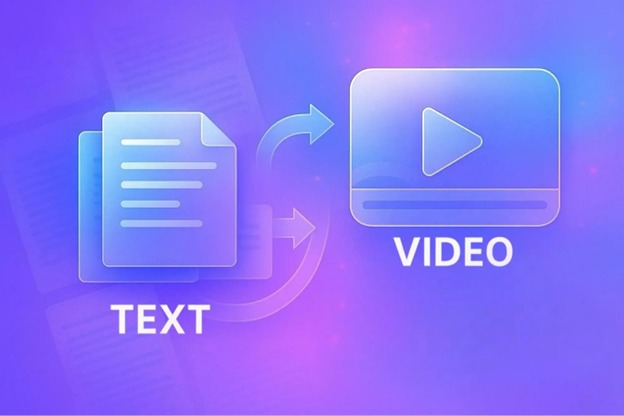
The process generally includes four automated stages:
- Text interpretation: The AI analyzes your script, keywords, and context.
- Scene generation: Relevant footage, animations, or graphics are selected based on the prompt.
- Sequencing and pacing: The clips are arranged into a coherent visual flow that matches the narrative.
- Audio integration: Music, sound effects, and AI voiceovers can be added automatically.
Because the system handles visual selection and timeline arrangement, creators save hours of manual editing. Filmora’s AI text-to-video generator is a good example; it allows users to create a video from text instantly and then manually adjust the content. This combination of automation and control boosts productivity while preserving creativity.
Part 2: Can AI Text-to-Video Tools Really Bring Your Ideas to Life?
Yes and far better than most people expect. AI text-to-video tools are no longer limited to generic templates and dull visuals. They even get the context, tone, and story progression; hence, they can visually communicate the written ideas in an understandable and attractive way.
Why creators are relying on them
- Speed and efficiency: AI can put together a video in a matter of minutes, whereas it would take hours, thus enabling creators to concentrate on their creative ideas rather than the technical side of editing.
- Seamless idea-to-video transformation: It is enough to have a prompt, script, or a short description to get a refined first draft, which is perfect for explainers, tutorials, promos, and social media videos.
- Workflow suitable for beginners: No editing knowledge is necessary; therefore, anyone can convert their ideas into consumable content without the need for cameras, shooting, or intricate software.
What makes the output effective
- The AI selects visuals and scenes that match the script’s meaning
- Transitions and pacing are adjusted to maintain flow
- Captions, audio, and timing can be autogenerated to support the message
The most significant thing is that AI is not a replacement for creativity; rather, it is a means to facilitate creativity. The first video is created by the machine; however, the users still decide how the video will look and feel by their writing, voice, speed, way of presenting the story, and brand. The human concept is still the main one; the AI just takes away the parts that are technically difficult and slow.
Part 3: Why Wondershare Filmora Is a Smarter Choice for AI Video Generation
What makes Wondershare Filmora different from a lot of AI video tools is that it still offers a good balance between automation and manual control. It makes video creation for beginners effortless without limiting the options. Instead of complex interfaces or steep learning curves, users get a workspace where AI speeds up the heavy tasks while creative decisions remain in their hands.
Notable AI Features That Support Editing
- AI Copilot Editing: Helps the user by understanding the command in the most natural way and then, accordingly, refining the clip, adjusting the sequence, or suggesting the edit, thus making the workflow faster and smoother.
- AI Text-to-Video Generator: Produces a first video version of the script, idea, or prompt with the scenes, transitions, motion, and audio already set.
- AI Audio and Subtitle Tools: On the one hand, they are an automatic way of generating voiceovers, subtitles, and audio enhancements that, on the other hand, can be extremely normal for lessons, tutorials, social videos, and narration-based content.
How Filmora Improves the Final Outcome
Even after the AI creates the first version, creators have complete freedom to:
- Replace clips or reorder scenes
- Adjust pacing and timing
- Add branding, overlays, and transitions
- Apply effects, keyframes, and color grading
This method accelerates the process while ensuring that the final video retains the creator’s identity and style. No matter if the person is preparing marketing materials, YouTube videos, short-form clips, or storytelling visuals, Filmora is the tool that can make the final piece look professional without the need of an advanced editing skill.
Conclusion
AI text-to-video innovations are fundamentally changing the way stories are communicated by visually presenting what is written in a very brief manner. By the use of such technologies as Wondershare Filmora, artists can integrate AI automation with user-friendly editing tools to make a video that looks like it is made with a high degree of skill, has a catchy theme, and is of high quality.
If you want to quickly create a video of your idea, take advantage of Filmora’s AI text-to-video capabilities and start creating more memorable stories.

Add Comment