Files that are accidentally deleted create an immediate sense of urgency, especially if it’s a project you cannot afford to lose. One moment, everything appears in order, and the next, you realize the Recycle Bin is empty. Whenever valuable data disappears, workarounds for how to restore files deleted from the Recycle Bin become essential.
What initially feels like a crisis can turn into a simple solution when you have access to the right approach. Instead of assuming your data is permanently lost, review the following article and acquire professional Recycle Bin data recovery software.
Part 1. When Recycle Bin Recovery Becomes Necessary: Key Indicators
The provided cases often signal that you can proceed, “how to recover deleted files from the Recycle Bin,” if acted on time:

- Shift + Delete Shortcut Mistake: This shortcut is convenient but unforgiving because it bypasses the Recycle Bin entirely, permanently deleting the files. For any document, this approach leaves no evidence behind, making knowledge of recovery methods essential.
- Files Deleted During Cleanup Tools: Automated system cleanup tools or antivirus software sometimes delete files without providing detailed prompts. When this deletion occurs, users are often confused about where the files went, leading them to search for ways to restore them.
- Large Files That Skip the Recycle Bin: Windows automatically excludes files or items that exceed the Recycle Bin’s maximum size limit. It surprises users who expect to find everything in the Recycle Bin after deleting it from the original folder.
- Computers with Auto-Empty Settings: Workplace computers or shared family devices may automatically clear the Recycle Bin at times. Users might delete files assuming that they can restore them later and find that the system has already emptied the bin.
- Accidental Deletion While Transferring Files: When moving files between folders or drives, it’s easy to press the delete key accidentally instead of “Move” or Copy.” It mostly occurs with large file batches, and users might not notice until hours later.
Part 2. Meet Recoverit: Your Solution for How to Recover Deleted Files from the Recycle Bin
Whenever any important file disappears from your computer, the stress of potential data loss can be immediate. In any such condition, Wondershare Recoverit is introduced to simplify how to recover Recycle Bin deleted files in Windows 10. Either the folder is manually emptied and shows no files, or you can still recover every file. More impressively, users are able to retrieve files that are lost due to a corrupted Recycle Bin on Windows.
Even if you accidentally deleted files in macOS, the program allows you to recover all the files within minutes. Not only that, but you can preview recovered files to ensure you’re downloading the correct one. It runs a deep, quick scan of the Recycle Bin or any lost location to retrieve all previously stored files. With a 99.5% recovery rate and 100% security, this data recovery software is among the best recovery programs.
Key Features
- Hard Drive Recovery Functionality: It enables users to recover data from internal Windows/Mac/Linux drives or external hard drives in a few clicks.
- Recovers Excel Files: The software recovers all Excel file formats, including XLSX, XLT, and XLTM, from any storage device.
- Retrieves ZIP Folders: With the support of 1000-plus formats, you can easily recover lost ZIP or RAR files from a computer.
- Linux & NAS Data Recovery: Retrieve lost files from Linux systems and NAS devices, including Synology, QNAP, and other NAS brands.
- BitLocker & Partition Recovery: This tool allows recovering files from BitLocker-encrypted drives and restoring data from lost or damaged partitions.
Part 3. How to Use Recoverit: A Complete Recycle Bin Data Recovery Guide
A complete guideline on how to restore files deleted from the Recycle Bin helps ensure you take the right action at the right time. With that in mind, the tutorial below walks you through the recovery process, making file recovery successful:
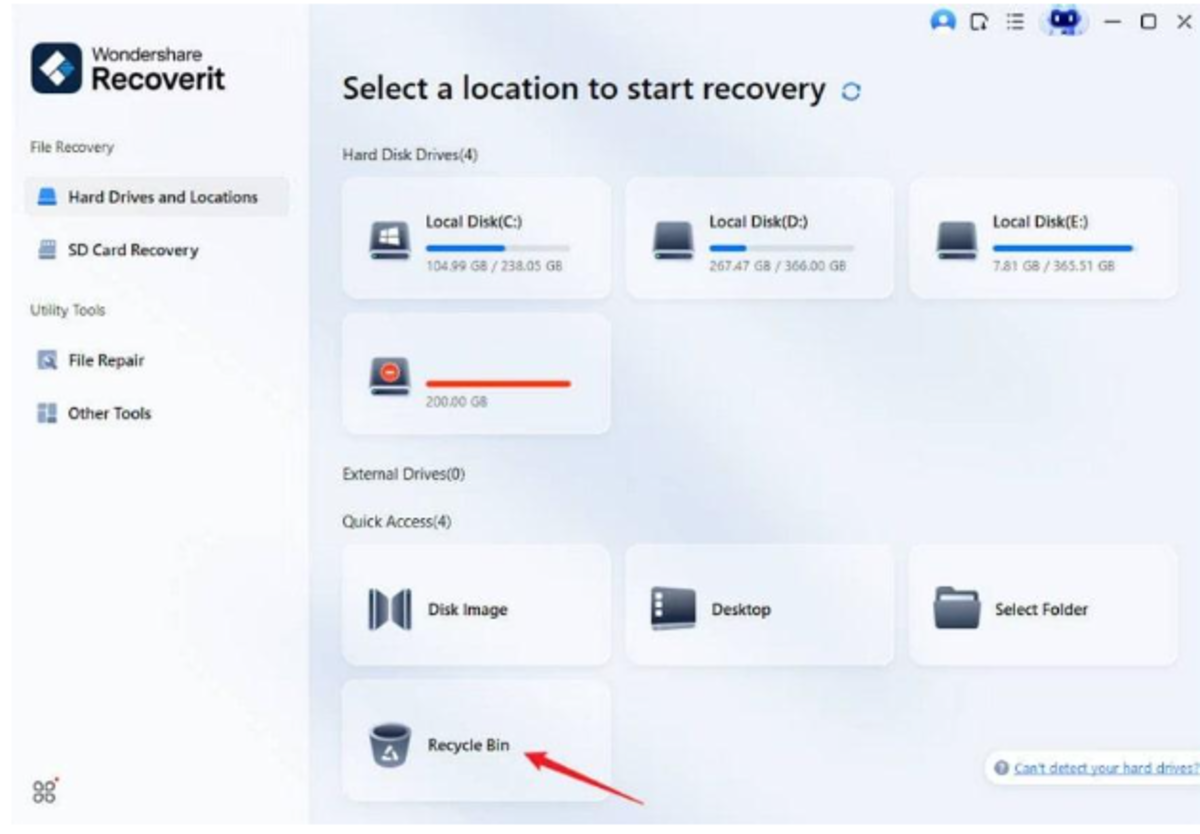
Step 1. Specify a Location for Lost Files
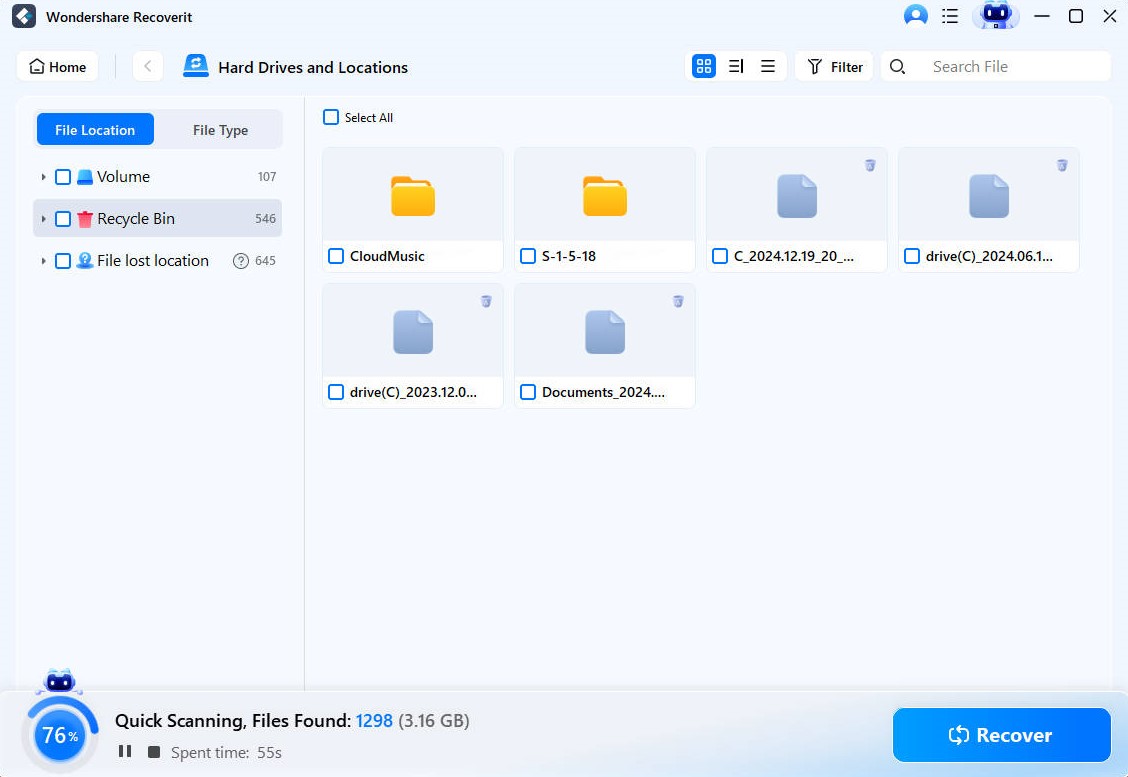
At first, launch the program, and access the “Hard Drives and Locations” section from the left side. After this, select the “Recycle Bin” option available under the Quick Access section.
Step 2. Run a Quick Scan on the Recycle Bin
Moving forward, the program will run an automated scan at your selected location and display any lost files on-screen.
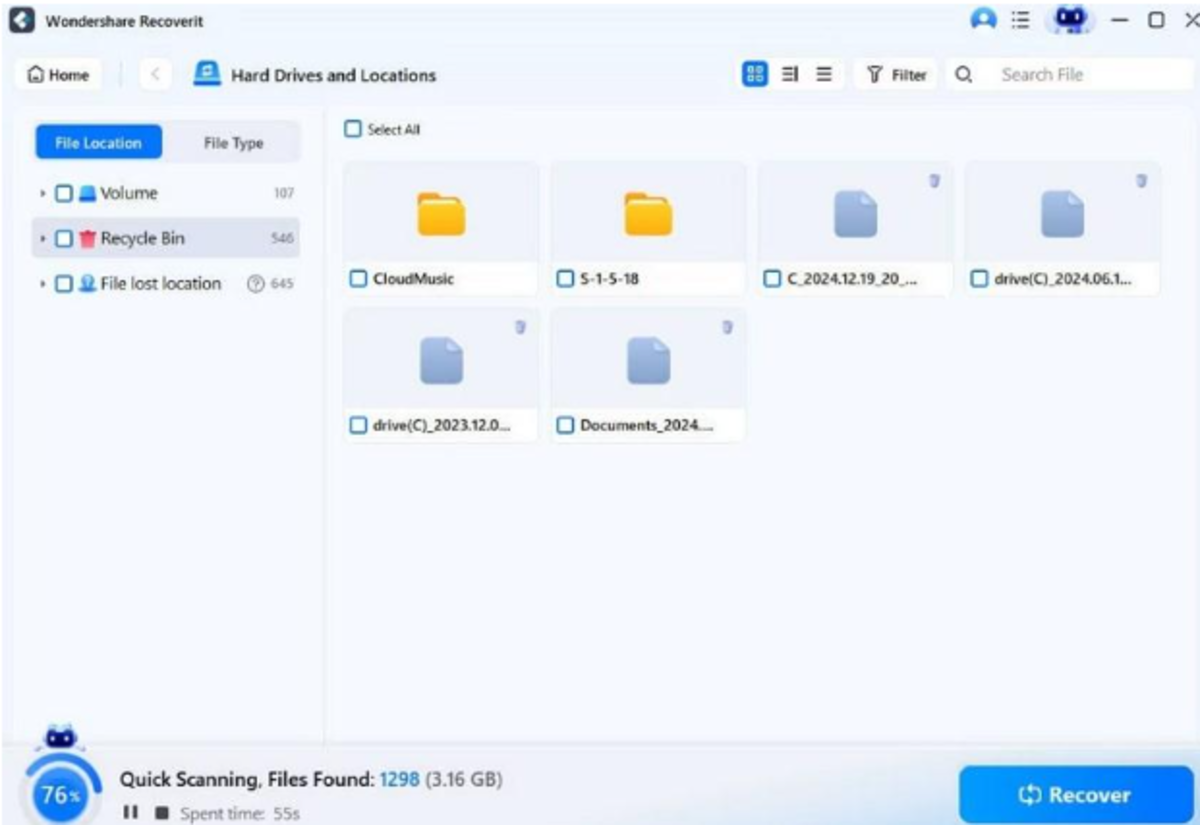
Image Link: https://images.wondershare.com/recoverit/data-recovery/recycle-bin-start-scan.jpg
Step 3. Review Files & Recover Your Data
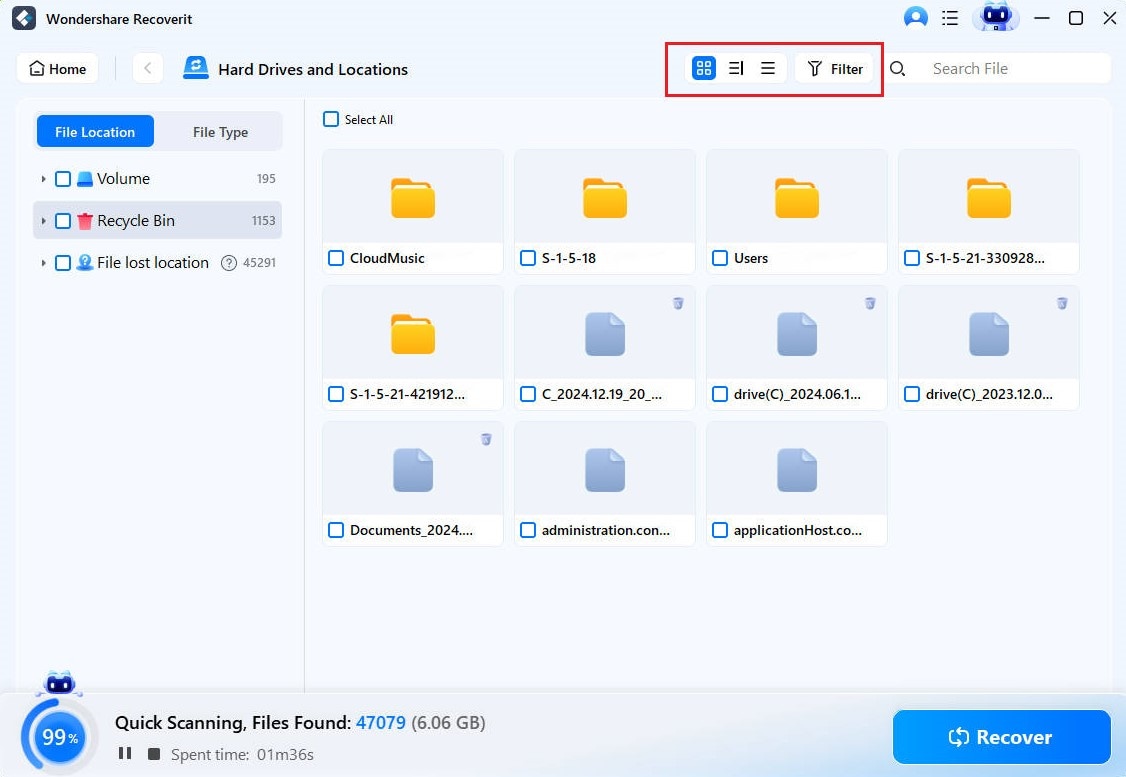
Next, filter for the files you want and click the “Recover” button to retrieve them all at once.
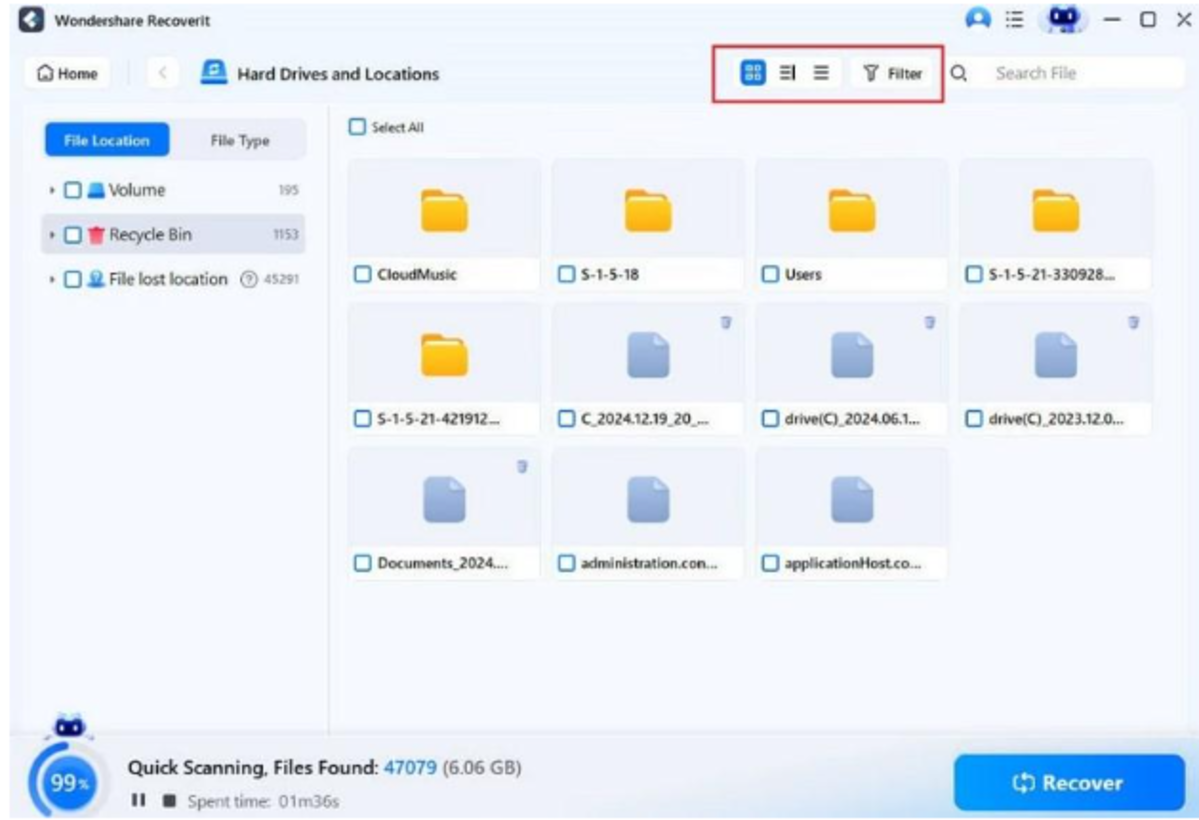
Image Link: https://images.wondershare.com/recoverit/data-recovery/recycle-bin-icon-view.jpg
Use Cases for Recoverit
- It retrieves files deleted from external media that never reached the Recycle Bin at all.
- Scan and restore data after issues like sudden shutdowns, system crashes, or Recycle Bin corruption.
- Helps recover deleted photos or videos across different operating systems and file systems, such as FAT.
- Retrieves email attachments or downloaded files that were deleted from the Downloader folder and aren’t available.
- Provides an additional layer of safety for users who lack regular backups but need instant recovery.
Conclusion
In summary, deleted file recovery doesn’t have to feel hopeless now, as you know the right approach to do so. In the guide above, restoring files deleted from the Recycle Bin is much simpler with a professional program. For all types of cases, Recoverit is an effective solution due to its broad format support and fast scan speed for file recovery.

Add Comment