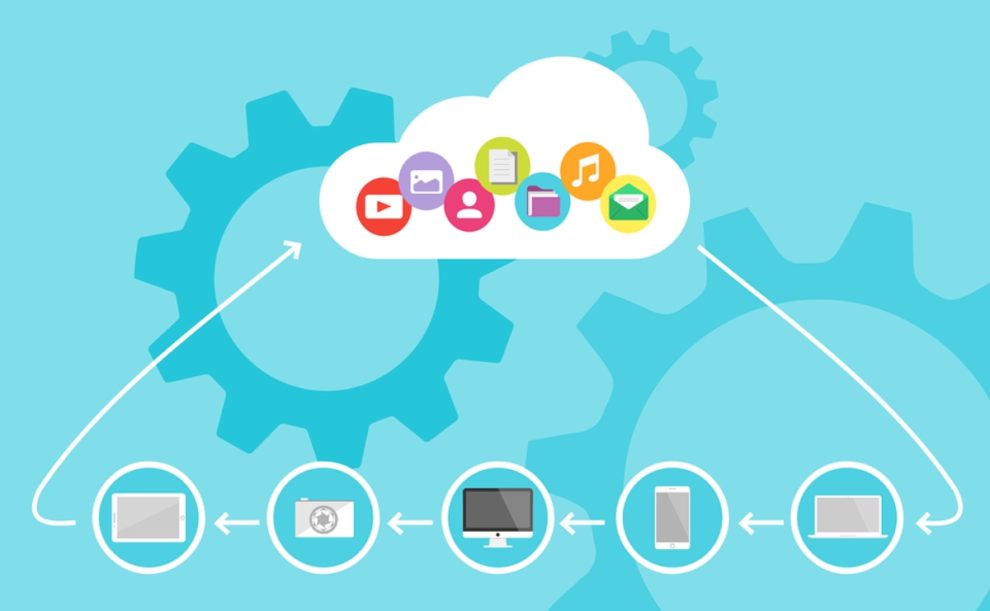
Cloud-based tools only work as well as the internet that powers them. Slow upload speeds or unreliable connections can disrupt file syncing, video calls, and customer interactions. You need a high-speed, stable, and scalable internet connection that matches the specific performance demands of your cloud applications.
If your business depends on video conferencing, shared cloud drives, or real-time analytics, your bandwidth and latency requirements will be higher than those of a company using only web-based email or accounting tools. Choosing the right plan means balancing speed, reliability, and flexibility to ensure each tool performs efficiently.
With the right internet setup, you can keep your team connected, your applications responsive, and your operations running smoothly—all while staying ready for growth.
Key Takeaways
- Reliable internet is essential for effective cloud tool performance.
- Match internet speed and stability to the type of cloud services your business uses.
- Scalable and secure connections support ongoing business growth.
Matching Internet Requirements to Business Cloud Tools
Cloud-based operations depend on stable, high-performance connections that can handle data-intensive workloads and remote collaboration. You need an internet setup that aligns with your operational priorities, security measures, and the specific cloud service models your business relies on.
Essential Internet Characteristics for Cloud Services
Cloud computing depends on a few critical internet qualities: low latency, high availability, and consistent throughput. These ensure your business can access software as a service (SaaS) platforms, cloud storage, and virtual machines without disruption. Even small delays can slow data synchronization or reduce performance on tools like shared document editors and real-time dashboards.
SMBs relying on infrastructure as a service (IaaS) or platform as a service (PaaS) benefit from connections that support large volumes of simultaneous traffic. A symmetrical connection, offering equal upload and download speeds, helps maintain reliable cloud operations.
Service-level agreements (SLAs) with a guaranteed uptime percentage are essential. They define thresholds for latency, packet loss, and downtime that can affect your cloud servers and hosting solutions. When evaluating providers, check for tools like network monitoring, technical support, and automated failover systems to protect ongoing operations.
Bandwidth and Speed Considerations for Cloud Productivity
Bandwidth determines your ability to maintain performance across multiple cloud tools at once. For businesses using cloud storage services, high-definition video calls, and data-heavy applications, upload speed is as vital as download capacity. If your teams frequently transfer files to cloud platforms, low upload bandwidth can create bottlenecks.
As a baseline, small businesses typically need speeds between 100 Mbps and 1 Gbps, depending on user count and workload complexity. Fiber-optic connections often deliver the best balance of speed and reliability, especially for daily use of SaaS platforms and remote desktops.
You should assess current and future cloud workloads when estimating speed requirements. A growing company expanding its remote workforce will likely experience higher bandwidth demand after cloud migration. Explore scalable plans with pay-as-you-go pricing or performance tiers to avoid overspending while maintaining performance.
For tailored support and scalable connectivity options, visit view business solutions.
Security Implications of Internet Connections
Cloud platforms process sensitive data, making secure internet connections essential. You should implement data encryption, firewalls, and secure tunneling protocols to protect data in transit between endpoints and cloud servers. End-to-end encryption reduces the risk of interception during file transfers or live collaboration.
Compliance frameworks like GDPR or HIPAA require strict safeguards for data security. Choosing a provider that supports managed cloud services with built-in cybersecurity and anomaly detection simplifies meeting these obligations. Private and hybrid clouds often suit organizations with strong compliance needs due to their dedicated management and separation from public networks.
You should also review how providers handle identity management or multi-factor authentication. Integration with cloud access security brokers (CASBs) can add extra protection by enforcing usage policies across multiple SaaS and IaaS environments.
Impact of Internet Reliability and Uptime
Reliable connectivity supports business continuity, especially when operations depend on cloud applications for critical workflows. Even brief downtime can disrupt cloud hosting sessions, suspend backups, or interrupt automation tools tied to infrastructure provisioning.
A solid plan includes redundancy across multiple internet paths or providers to prevent total outages. Some organizations invest in network failover systems that switch automatically to backup circuits during interruptions. Others use hybrid WAN setups combining fiber, LTE, or satellite links for resilience.
Regular network monitoring and provider support plans help identify issues early. Look for providers that publish uptime guarantees and offer 24/7 technical assistance for restoration. Reliable connections safeguard tasks such as disaster recovery, backup synchronization, and real-time collaboration that define cloud operations.
Choosing the Right Internet and Cloud Services for Your Business
Reliable internet and the right mix of cloud services directly affect productivity, uptime, and cost-efficiency. You need to match connection strength, speed, and redundancy to the demands of tools such as customer relationship management systems, accounting software, and AI-driven analytics. Selecting the right tier of cloud platform also determines how well your infrastructure scales with business growth.
Comparing IaaS, PaaS, and SaaS Needs by Internet Type
Different internet types support cloud workloads in distinct ways. Fiber internet provides the low latency and high upload speeds needed for Infrastructure as a Service (IaaS) like Amazon EC2, Google Compute Engine, or Microsoft Azure Virtual Machines. Firms running hosted databases or large-scale backups depend on stable, symmetrical bandwidth.
For Platform as a Service (PaaS), such as AWS Lambda, Azure Functions, or Google Cloud Run, you benefit from both high-speed connections and low network jitter since applications rely on quick deployment and event-driven processing. Even brief slowdowns can stall automated workflows in analytics or AI model training tasks.
Software as a Service (SaaS) applications rely on consistency more than raw speed. Tools like Microsoft 365, Google Workspace, QuickBooks Online, and Salesforce perform well on business cable or managed broadband connections if latency and packet loss remain low. A dedicated line or SD-WAN service can further stabilize critical communication apps like Slack or video meetings.
Top Cloud Solutions and Internet Pairings for SMBs
Small and midsize businesses often balance cost with reliability. A fiber or symmetrical broadband link best supports cloud collaboration and secure backups, especially when using platforms like Dropbox Business, Google Drive, or OneDrive. These connections simplify syncing files across cloud environments and reduce downtime during peak activity.
For e-commerce or retail operations, a cloud POS system integrated with inventory management and accounting platforms—for example, QuickBooks Online or Square for Retail—requires a network that can maintain uptime during transactions. A managed internet plan with redundant routing improves performance during traffic spikes.
Companies adopting machine learning or data analytics services on AWS, Azure, IBM Cloud, or Google Cloud benefit most from fiber or dedicated leased lines. These offer the throughput needed for rapid data exchange between local systems and cloud-hosted models while minimizing latency for real-time insights.
Cloud Providers, Tools, and Applications: What to Consider
When choosing a provider, evaluate each platform’s performance, scalability, and cost structure. AWS, Microsoft Azure, and Google Cloud lead in flexibility, offering IaaS and PaaS options suited for complex workloads. DigitalOcean and IBM Cloud provide simpler configurations for smaller deployments or predictable monthly pricing.
Assess how each provider handles cloud monitoring, managed databases, and security compliance. Strong SLAs and multi-zone redundancy ensure service continuity if a region goes offline. If you depend on AI or machine learning tools, confirm that GPU support and regional availability meet your workload requirements.
You should also review integrations between your core cloud applications—such as CRM systems, collaboration software, and data analytics suites—to streamline workflows and minimize API bottlenecks. The combination of a stable, high-bandwidth connection and a scalable cloud platform produces a reliable foundation for long-term digital growth.
Conclusion
Your business depends on a reliable, high-speed internet connection to make the most of cloud-based tools. When using video conferencing, data backups, or real-time collaboration platforms, consistent bandwidth and low latency ensure stable performance.
Choose an internet plan that aligns with how your team actually works. If you frequently transfer large files or use multiple applications at once, prioritize higher upload speeds and dedicated business service options.
Key factors to review before deciding:
- Speed: Adequate for your data volume and cloud usage.
- Reliability: Minimal downtime or performance drops.
- Scalability: Ability to upgrade as your cloud needs grow.
Matching your internet setup to your cloud tools helps your business maintain productivity, reduce interruptions, and adapt smoothly as technology evolves.

Add Comment