
One of the most interesting features on Mac for WhatsApp is your ability to drag and drop files directly into a chat. This offering makes it easier to drag videos, documents, and images directly from your Mac’s Finder into your chat window. However, a new bug is currently restricting users from enjoying this feature. The affected people said the WhatsApp drag and drop is deleting their files on Mac.
Mac Users Report that WhatsApp drag and drop is deleting files
Normally, the drag and drop feature is designed to copy a file from Mac’s Finder and paste in the chat. But this is certainly not the case for many users today. According to reports, the WhatsApp drag and drop feature is deleting files on Mac devices. It does this by moving the selected files into its own internal temp folder, causing the original files to disappear.
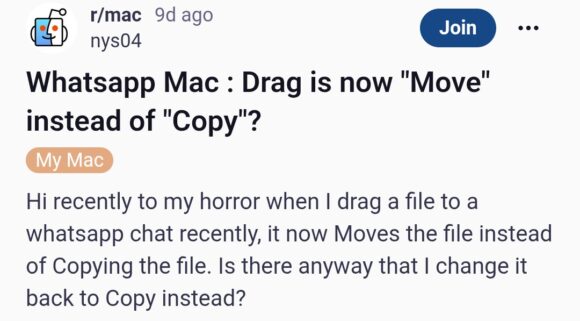
The issue started a couple of weeks back, as noted by a Redditor. The user said he even tried some troubleshooting steps like uninstalling WhatsApp Desktop and switching to WhatsApp Web. He also noted that he told the WhatsApp Support team about the issue, but they’re yet to respond.
Another user on the r/mac thread said, “Hi, recently, to my horror, when I drag a file to a WhatsApp chat, it moves the file instead of copying the file.” Now, many users are interested in knowing how to change the action back to “Copy” to avoid losing important documents.
As spotted by PiunikaWeb, the bug only affects a few file options. These include PDFs, PowerPoint files, ZIP archives, and text files. As for JPGs, PNGs, and video files, the drag and drop still works normally. But even at that, this should never continue for long, as many users are already losing important files due to the bug.
Is there any reliable workaround?
Officially, there’s no fix to address the issue, in which the WhatsApp drag and drop feature is deleting files on Mac. Even the most reliable troubleshooting steps failed to fix the problem. For instance, some users said they tried updating to the newest WhatsApp build, which didn’t work for all affected people. However, some people said updating to version 26.16.15 works perfectly for them, while others on the same version disagreed.
That said, the best option for now involves neglecting the drag-and-drop feature. Instead, you can use the + button inside WhatsApp to attach your preferred file type. Although this method is old-fashioned, using it will at least give you peace of mind that your files won’t be deleted. We’ll keep an eye out for an official fix from Meta. As soon as we find any information, we’ll update this post

Add Comment