
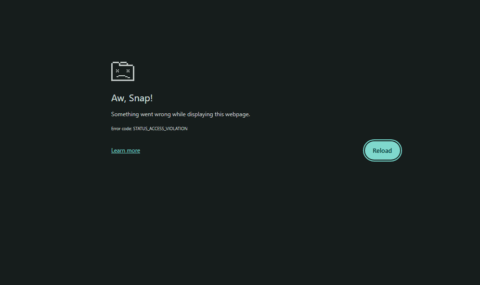
The Google Chrome May 12 update was designed to focus heavily on security. The update came with fixes for different vulnerabilities, including 14 critical-severity defects. As amazing as this update is, it also has its issues. One example is the constant crashing errors users get after installing Chrome 148. According to new reports, users are currently getting an “Aw Snap” STATUS_ACCESS_VIOLATION error message in the new Chrome version.
Understanding the “Aw Snap” STATUS_ACCESS_VIOLATION Error in Chrome
New reports indicate that this issue started after the May 12 update. When describing the issue, the affected users mentioned that the browser constantly crashes even when they perform simple scrolling. Some users also reported that clicking a video on the page crashes the browser.
Furthermore, the users mentioned that they get an “Aw, Snap!” STATUS_ACCESS_VIOLATION error messages in Chrome after the browser crashes. Below are other error codes they get:
- STATUS_BREAKPOINT
- STATUS_STACK_BUFFER_OVERRUN
This issue is widespread as it affects different people, including Chrome users with expensive gaming rigs. As such, you can rest assured that it’s not a hardware problem.
As noted by PiunikaWeb in an update, the issue is likely surfacing due to third-party antivirus programs. The update, based on developments on the Chromium issue tracker and Reddit, indicates that the issue is linked with software using the Gen Digital engine. They include Norton, AVG, and Avast.
Are there workarounds yet?
The good news is that there are a few workarounds you can try to address the “Aw, Snap!” STATUS_ACCESS_VIOLATION error in Chrome.
- First, open your Chrome tab. After that, paste chrome://flags/#use-angle into the address field. Next, locate the “Choose ANGLE graphics backend.” setting. Tap the drop-down and switch from Default to D3D11 or D3D9. After that, scroll to the bottom of the screen and tap the relaunch button.
- An alternative workaround involves typing chrome:restart into the address bar. As long as you keep the browser open, this fix will prevent the “Aw, Snap!” STATUS_ACCESS_VIOLATION error in Chrome.
- Another thing you can do is to uninstall the problematic antivirus, using only Windows Defender. This method is effective but doesn’t work for all users.
- For a complete resolution, consider switching to the Chrome Beta channel. This will help you bypass the crashing issue completely. The same thing goes if you use alternative browsers like Edge.

Add Comment