
Today, Spotify offers its users endless benefits. For instance, it provides ad-free music listening. Additionally, users can download music to listen to offline. These are just a few of the many offerings available on this streaming platform. But as amazing as Spotify is, it also has its issues. For instance, some users recently reported a bug that affects the ‘Now Playing’ screen. If you currently experience the ‘Now Playing’ blank screen issue on iPads, the good news is that Spotify is now investigating it.
Understanding Spotify’s blank ‘Now Playing’ screen bug on iPads
Based on reports across various platforms, the Now Playing panel completely disappears when users switch to another app and return. Normally, the panel should remain in the background and be accessible as soon as users return to it. But with the current issue, the affected users are now calling on the Spotify team to fix the annoying blank ‘Now Playing’ screen issue on iPads.
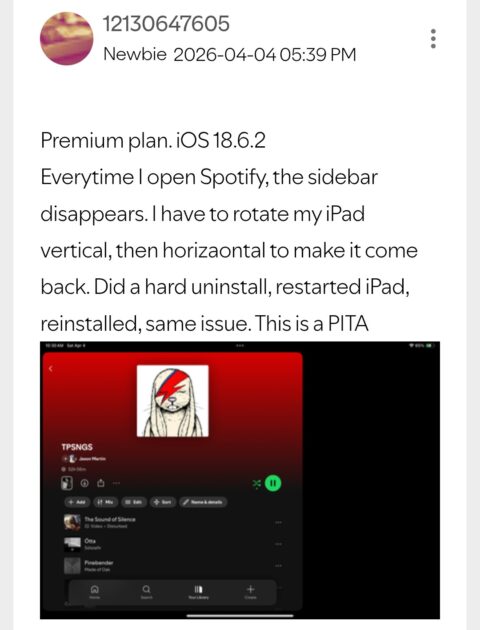
This issue started a few weeks ago. So far, the Spotify team has suggested a few workarounds, such as:
- Double log-outs & log-ins.
- Full re-installation of the app based on these steps.
- Check the affected account on a different device.
Unfortunately, none of these suggested troubleshooting steps worked. The only effective workaround users are currently using is to “rotate the iPad from portrait to landscape and vice versa.”
Apart from the Spotify blank ‘Now Playing’ screen issue on iPads, users are also reporting other bugs. One of them is that the composer’s names are not showing up on playlist tracks.
Spotify is investigating the issue
For now, there’s no official fix for the blank ‘Now Playing’ screen issue on Spotify for iPads. However, you need to understand that the Spotify team is now aware of the issue. To resolve the issue, they need to gather enough information, which is where they’re at right now.
If you currently experience this issue, the team wants you to add your vote and subscribe to the thread using the three dots menu. Let’s hope that this issue gets resolved sooner rather than later. We’ll continue to keep an eye out for an update from the team. As soon as we find one, you’ll be the first to know about it. For now, you can try using the “screen rotating” trick if the issue surfaces.

Add Comment