Anyone using a car will agree that Android Auto is a great app worth having. As long as your smartphone supports it, you can use this app to access Google Maps, music applications, and calls while driving. Bottom line: Android Auto certainly makes life easier on the road. But as amazing as this app is, it’s not without its issues. For instance, many users are now complaining about an annoying bug, in which the “Start Android Auto while locked” feature is not working.
Understanding Why ‘Start Android Auto’ While Phone is Locked is Not Working
Android Auto Users got the latest security updates in March 2026. Following these updates, many people began experiencing one or more issues with their app. One popular bug users are complaining about is that Android Auto fails to launch when the phone is locked. This issue currently forces users to physically unlock their smartphones first before accessing the app.
An affected user on the Support page said his “Start Android Auto while locked” slider is always on, but the app still is not working. The user mentioned trying workarounds, such as uninstalling, factory resetting, and reinstalling the app, but nothing works. The user further guessed that the issue occurs due to Android’s Advanced Protection and USB security protocols. They hold more weight compared to Android Auto’s permissions.
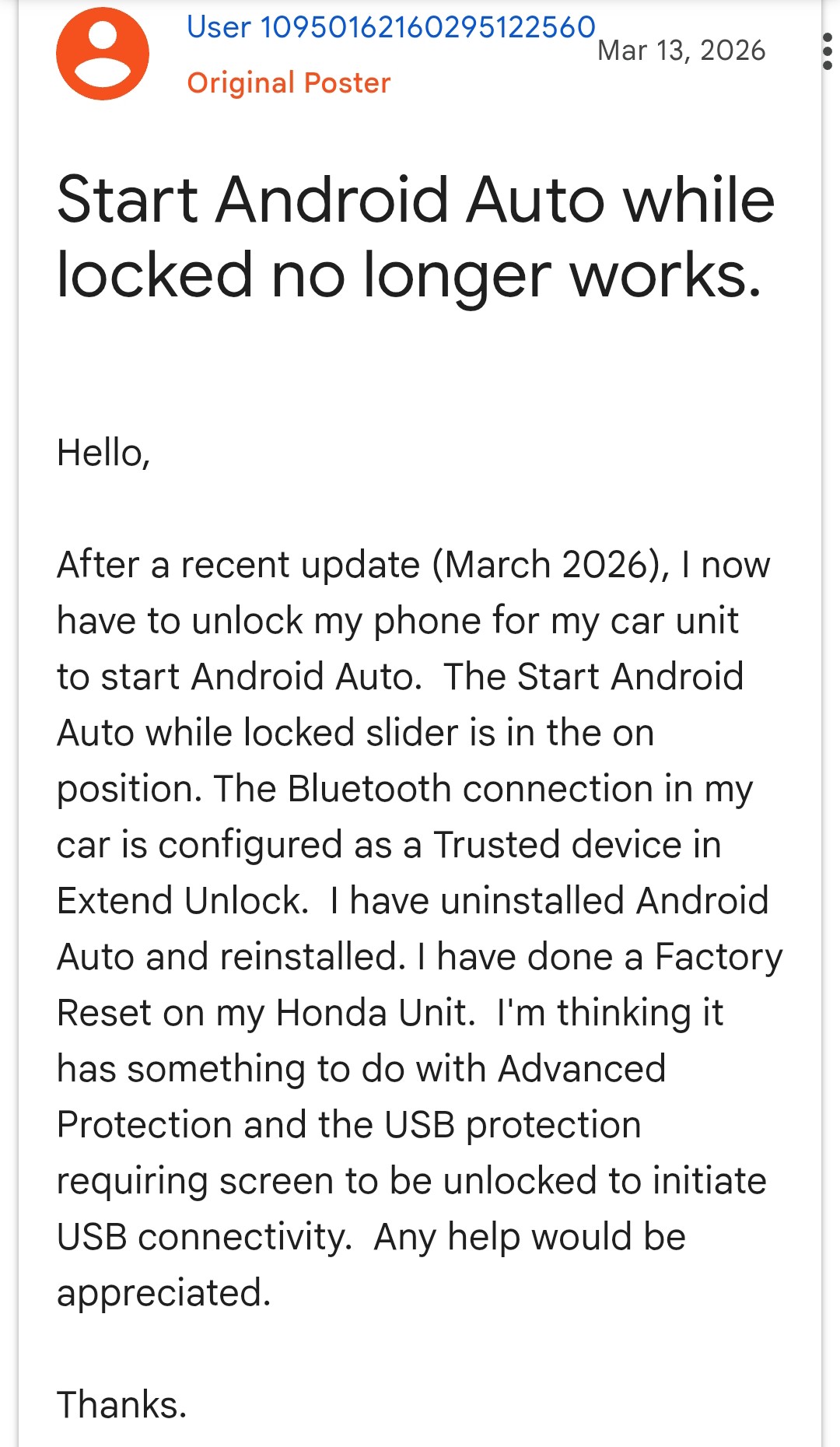
It’s worth noting that this issue has been around since late 2025. However, the March 2026 update has further worsened the issue. According to reports, this issue affects several different phone models, including Google Pixel series, Motorola phones, and Samsung Galaxy S25 and S24 series.
Android Auto Users Complain of Media Control Glitch
Apparently, the ‘Start Android Auto while locked’ that is not working isn’t the only bug affecting users. In addition, newer Toyota vehicle owners are complaining about a bizarre media control bug. Affected users complain that pressing the skip back or skip forward buttons on the steering wheel registers two commands. A good example is when you try skipping a song on Spotify. In this case, the command skips two songs instead of one. So far, only Toyota vehicle owners are complaining about this Android Auto glitch.
Google & the Android Auto team acknowledge the Issue
The good news is that Google is currently aware of the USB lock-screen glitch affecting Android Auto Users. In one emailed update to Android Authority, a Google representative said: “The team is fully aware of the bug, and fixes will start rolling out soon.” If you currently experience this issue, let’s hope the upcoming security update comes with a fix for the bug.
Furthermore, the Android Auto team has acknowledged the steering-related media control glitch affecting Toyota owners. They promised to provide diagnostic logs by reaching out to affected users through email.

Add Comment