
One of the amazing features of ChatGPT is the ability to upload files in different formats. This offering allows users to analyze data and clean up sheets in seconds. But according to reports, it seems this feature is currently not working for some users. The affected ChatGPT users said they get an “Unknown error occurred” message when trying to upload files.
An “Unknown error occurred” prompt prevents file upload, ChatGPT users report
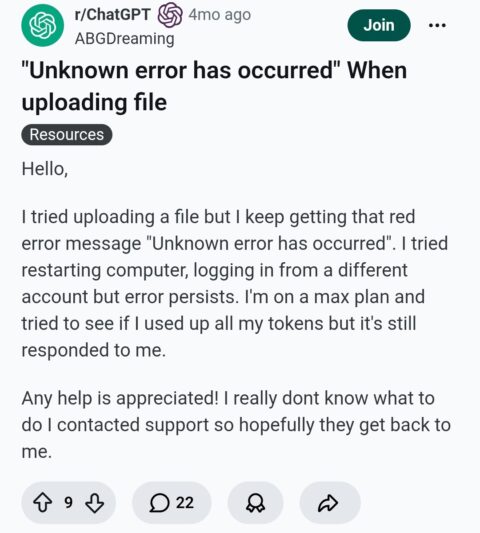
New reports indicate that many users are currently unable to upload files in ChatGPT. When describing the issue, a Reddit user said he “can’t upload any files on my macbook.” This particular complaint dates as far back as 4 months ago. When replying to this post, another user said doing some troubleshooting steps like clearing cache and cookies doesn’t address this issue.
Furthermore, some affected users reported that this issue affects ChatGPT Pro and Plus plans. However, it works perfectly on the free ChatGPT plan.
Further description indicates that uploading zip files technically uploads. However, the AI system fails to read them, giving an error message: /mnt/data directory is empty.
Is there any official fix yet?
Temporarily, one thing you can do to address this issue is to email files to yourself. After that, consider downloading the file on your phone and uploading it via the ChatGPT mobile version. This will certainly fix the “Unknown error occurred” message and you’ll be able to upload your files in ChatGPT. Furthermore, some users noted that compressing multiple files into a single zip archive can also resolve this issue.
The good news is that OpenAI is very much aware of this frustrating issue that affects users. They started monitoring the issue some days ago. With that, it means the team will likely provide a fix sooner rather than later. We’ll keep monitoring the situation and as soon as we find any update, we’ll let you know.

Add Comment