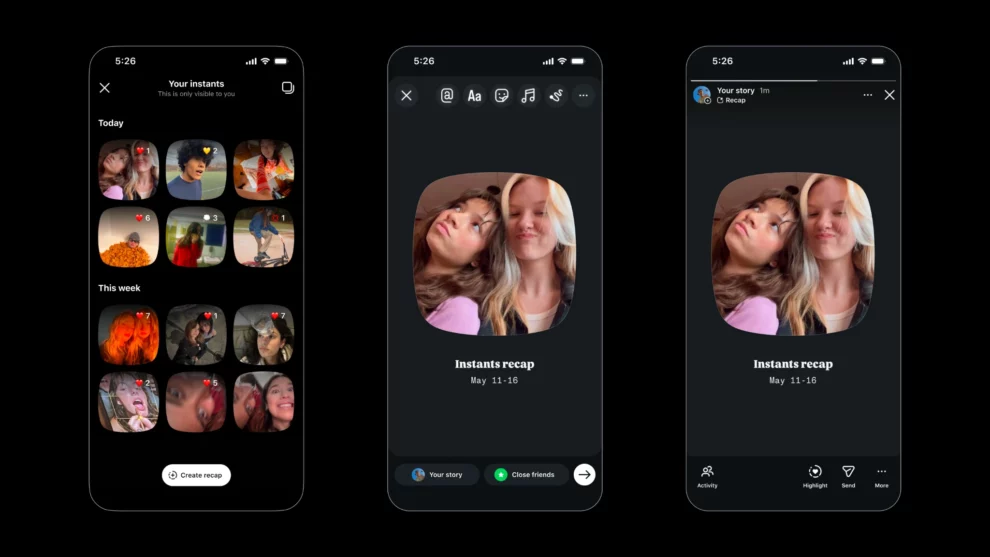
If you’re familiar with Instagram, you’ll agree that it allows its users to share photos and short videos with their viewers worldwide. But what if you want to share a quick picture with only your close friends? Here’s where the need to use Instagram “Instants” comes in. As you read on, you’ll discover exactly how to share Instants on Instagram.
All you should know about Instants
On May 13, 2026, Instagram introduced a new feature called Instants. This new offering allows users to capture and share unedited moments with their mutual followers. This new product is similar to Instagram’s Stories, as it allows users to post content that lasts 24 hours. What’s even more interesting is that Instants allows users to share their pics with selected friends without editing.
You can only view once
This is one of the key differences between Instants and Instagram Stories. The latter allows the content to remain on a user’s profile for 24 hours. Within this period, a user can view it multiple times. As for Instants, users only have the chance to view the content once.
If you’re familiar with how Snapchat works, then you most certainly understand how to share Instants on Instagram. After sharing, a user can only open and view the content once within 24 hours. According to Lyons-Laing, once viewed, the user won’t be able to view the content again.
You can share Instants to Stories
Another amazing benefit of Instagram Instants is that it allows users to share content to Stories. This way, all followers can see it, instead of just a few selected people. To do this, all a user needs is to select a collection of Instant photos in groups for sharing.
But how do viewers differentiate traditional Stories content from the Instants posts on Stories? According to Lyons-Laing, the one that looks like a film reel video is Instants.
Understanding how to share Instants on Instagram
To get started, you need to upgrade your Instagram app to the latest version. As soon as you update and launch the app, you’ll see a pop-up that says: “Introducing Instants.”
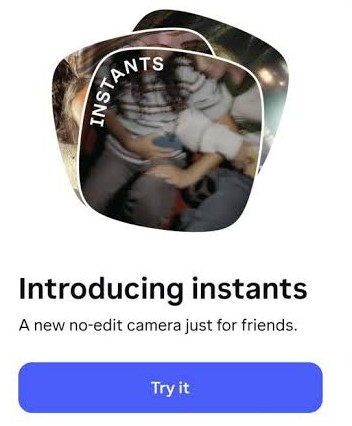
To get started with Instants on Instagram, below are a few steps we recommend:
- Open Direct Messenger
- At the bottom, right side of the screen, locate the mini stack of photos.
- Tap the stack and choose your audience preference, such as Close Friends or Friends.
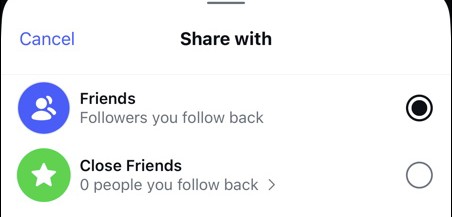
- Your Close Friends covers all your private, curated user groups that you already selected. These are the users you specifically chose to see your unfiltered, unedited content.
- Your Friends are the users you follow back.
- After choosing your audience preference, proceed by snapping a photo.
- You can find the snapped photo in your Instants Gallery for your selected users.
- You can also delete an Instants content. To do this, all you need to do is to tap “Undo”. This button appears as soon as you snap a photo.

Add Comment